Autumn
Paws in winter
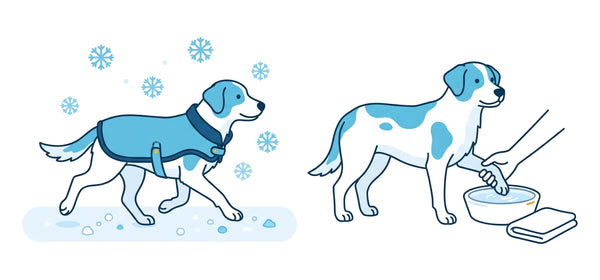
Road salt and grit irritate the pads. After the walk, you can wash Luna's paws with lukewarm water and dry them well, including between the toes. Small lumps of ice tend to collect there in the snow.
Go to paw care
 Your pet
Who are we shopping for?
With a profile, the shop fits your pet, from the daily amount to the tips.
Hello,
Labrador Retriever · 3 years · 28 kg
Hello,
here's what's on for Luna today.
Your pet profile
With age, weight and breed, the profile grows with your dog. It reminds you of appointments and special days, shows how their weight develops and gathers what matters at their age right now. We'll work out the daily amount stated on the pack at the same time.
Takes a minute. You can change everything later.
This is what your dog's profile could look like. Here we show you, using Luna as an example.
The pet profile is your dog's space at Solli's, and it grows with them. In it you record what makes your dog who they are, such as name, age, weight, breed, topics and anything they don't tolerate. From this we show you their feeding plan with the amount stated on the pack and the supply from your orders. On top of that come appointments and special days, knowledge that suits their age and supplements for their topics.
Click on “Create pet profile” and answer five short questions about type of pet, name, birthday, weight and intolerances. It takes about a minute. You can add breed, sex and topics later in the profile. Your details take effect across the whole shop straight away. If you sign in with your email address, the profile is kept on every device and you can add a photo.
You see straight away what suits your dog. For food, we show you the varieties for their life stage and size and work out the daily amount for their weight from the feeding recommendation. Supplements for their topics are shown first and marked. If a product contains something they don't tolerate, we point it out to you in the cart.
Whatever you add as an intolerance is hidden in the dog collections as long as the switch to show only what suits them is on. On product pages and in the cart, a red note warns you if one of these ingredients is included. Under “Suits” in the profile you'll only find products without these ingredients, and if one of their current foods contains one of them, we tell you there. If your dog reacts strongly, please still take a look at the ingredients list yourself.
From the feeding recommendation on the pack. We convert it to your dog's weight and age, and for puppies the expected adult weight counts too. In the feeding plan we split the amount across the meals you've set. The figure is a guideline. Whether it's right, your dog shows you through their body shape and weight.
From your orders with us. We look at how much of a variety you ordered last and use the daily amount from the feeding plan to work out how long it will last. If you also feed something else or still have tins in the cupboard, you can enter your actual supply in the Food tab. We'll then calculate from there.
It means that a variety suits your dog, so it fits their life stage and size and contains nothing they don't tolerate according to their profile. For supplements we also look at their topics. If something doesn't suit them, we tell you why and show you varieties that do.
Yes, through your phone's calendar. Add a vaccination, worming, tick protection or a vet appointment in the Calendar tab and tap “Add to my calendar”. The appointment then lands in your phone's calendar with a reminder. We don't send emails for this.
Yes, then you open it just like an app. Open the pet profile on your phone. On an iPhone, tap Share at the bottom in Safari and then “Add to Home Screen”. On Android, tap “Add to Home screen” in the profile or “Install app” in your browser menu. After that, one tap on the Solli's icon is enough and the profile opens without the browser bar.
Yes, up to five. Each dog gets their own profile, and in the shop you can switch between them with one click. We assign an order to the dog that was selected when you ordered.
At any time. The most important thing is the weight. If you add it regularly, the daily amount stays right and a weight curve builds up in the Food tab. If you've had to say goodbye to your dog, you can delete their profile or keep it in memory. They then won't get any more recommendations or mail.
We use the details from the pet profile to show you in the shop what suits your dog. Without an account, they stay in your browser. If you order as a guest, we save them with your order so that you can move the profile into an account later. With an account, they're stored in your customer account, together with the feeding plan, appointments and special days. We only pass your dog's details to our mailing service Klaviyo if you've subscribed to our newsletter or choose “Mail for your dog” in the calendar. That way the emails suit them, for example on their birthday. The feeding plan and appointments are not passed to Klaviyo. You can change or delete the profile at any time and unsubscribe from the newsletter in every email.
Here you'll find Luna's feeding plan, weight and food supply in one place.
This is what the feeding plan looks like, using Luna as an example. With your own dog, you decide how often they eat and which food they get.
Create pet profileAppointments, special days and what's already happened. You get reminders through your own calendar.
This is what the calendar looks like, using Luna as an example. With your own dog, you enter vaccinations, worming treatments, vet visits and special days yourself.
Create pet profileHere you'll find what suits Luna right now. Anything that's done or doesn't apply to you, just tap away.
This is what the Knowledge tab looks like, using Luna as an example. With your own dog, the tips and guides match the age, breed and needs in the profile.
Create pet profileAutumn
Road salt and grit irritate the pads. After the walk, you can wash Luna's paws with lukewarm water and dry them well, including between the toes. Small lumps of ice tend to collect there in the snow.
Go to paw careAutumn
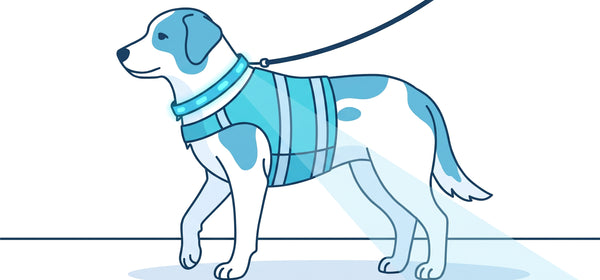
In autumn and winter, many walks fall at dusk. A light-up collar or a reflective vest makes Luna visible from afar in traffic, and a head torch helps you on paths without street lights. Where you can't see well, it's best to keep Luna close to you.
Autumn
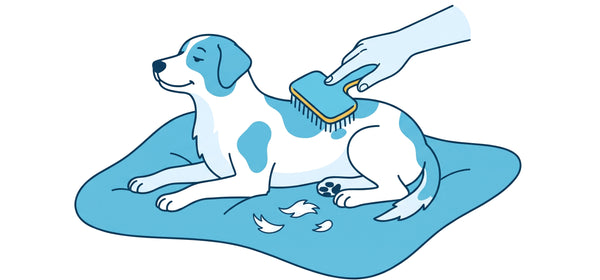
Many dogs with an undercoat moult in spring and autumn. During this time, you should brush Luna more often, as this removes loose hairs before they end up on the sofa and carpet. If Luna itches noticeably often or bald patches appear, you should have it looked at by your vet practice.
As an adult
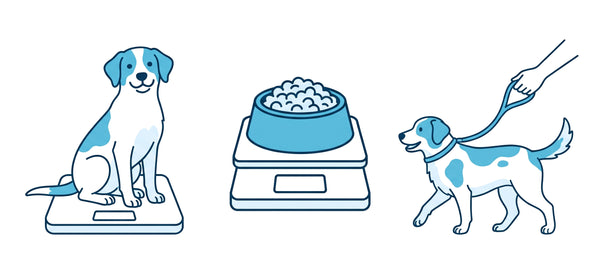
One or two extra kilos are hardly noticeable in everyday life, but they still make a difference to the joints. It's best to weigh Luna every few weeks and compare the result with the target weight, which you can set in the Food tab. Treats count towards the daily amount, by the way.
As an adult
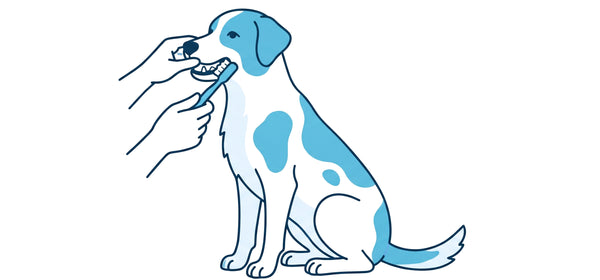
Many dogs develop tartar at a young age. A small daily routine helps, such as brushing the teeth or suitable chews. Once a year, it's also best to have your vet practice take a look in the mouth.

Achte konsequent auf das Gewicht, die Taille sollte sichtbar bleiben. Schwimmen und ausgedehnte Spaziergänge halten Gelenke und Kondition fit.

Breed profile
Der freundliche Alleskönner mit großem Appetit
Typical needs of the breed
Here you can reorder Lunas food, find what suits Luna and see your orders.
Here's how this section looks with Luna as an example. With your own dog, you'll find their food to reorder here, what suits them and your orders.
Create pet profile22,90 €91,60 € / l
11,99 €119,90 € / kg
11,99 €119,90 € / kg
2,29 €11,45 € / kg
2,29 €11,45 € / kg
2,29 €11,45 € / kg
22,99 €11,50 € / kg
22,99 €11,50 € / kg
Discover more for Luna
One supplement at a time, with the next one added every two weeks. That way you'll see what does Luna good.
11,99 €119,90 € / kg